
What Is a CI/CD Pipeline? A Non-Technical Founder's Guide (and Why It Saves You Money)
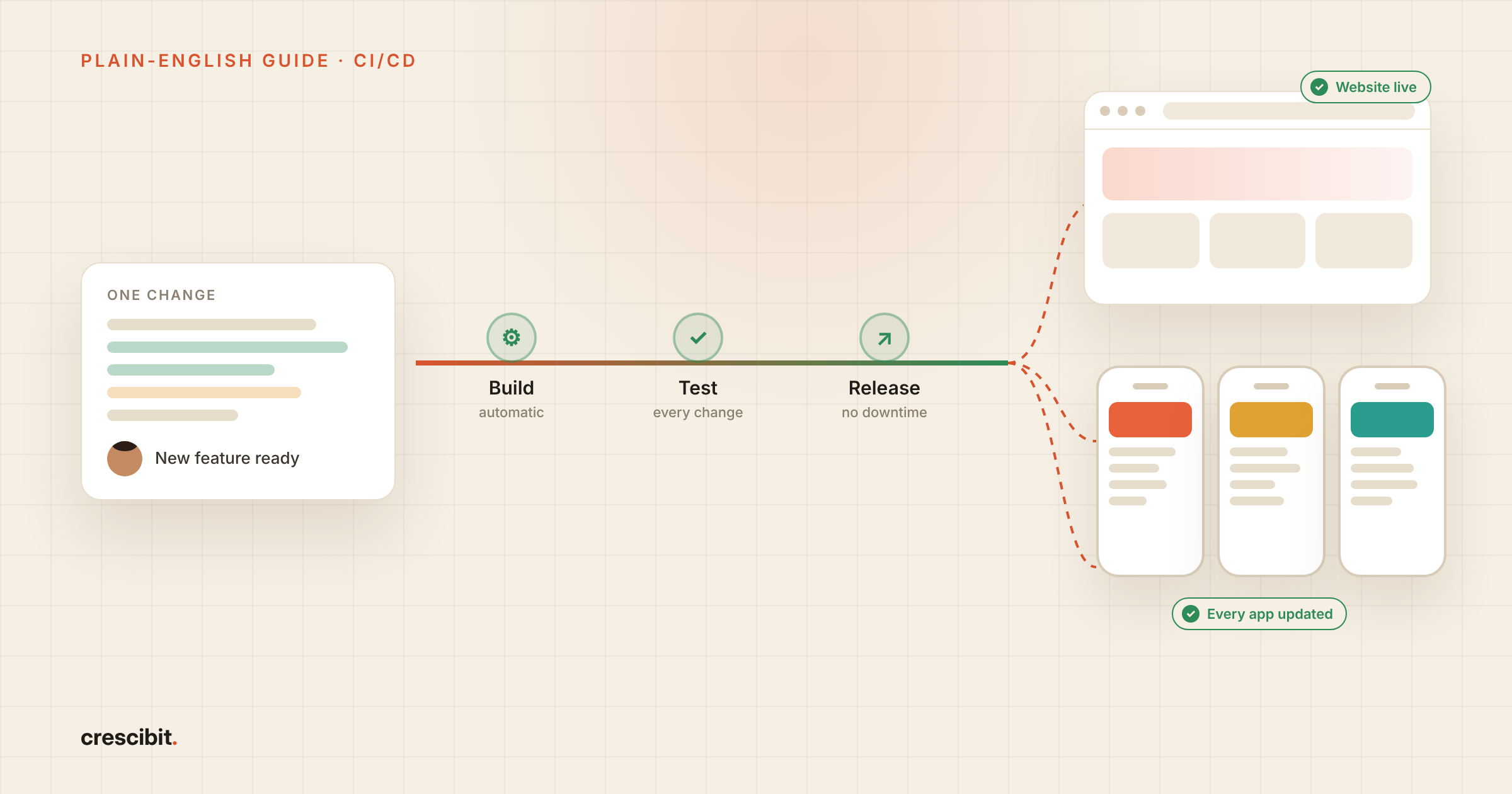
TL;DR: A CI/CD pipeline is a set of automatic steps that checks every change your developers make and then releases it to your users, without anyone doing it by hand. CI/CD stands for continuous integration and continuous delivery: CI tests each change as soon as it's written, and CD ships it. For a founder, that means fewer bugs reaching customers, faster fixes and no more nervous "release days".
You've probably heard the phrase on a call with your developers or an agency. "Don't worry, we have a CI/CD pipeline set up." Most founders nod and move on.
It's worth a few minutes of your time, because this is one of the few technical terms that shows up directly in your budget. Here's what it means in plain English, what life looks like without it, and four questions to ask your team about it.
What is a CI/CD pipeline? CI vs CD in plain English
A CI/CD pipeline is an automatic quality check and delivery system for your software. It has two halves, and the easiest way to see them is a busy restaurant kitchen: every dish is checked at the pass, and the moment it's approved, a server takes it to the table.
In the kitchen | In software | |
|---|---|---|
CI: continuous integration | The check at the pass | Every change a developer makes is combined with everyone else's work and tested automatically |
CD: continuous delivery | The dish is plated and waiting; the head chef says "go" | Every change that passes is prepared for release, and a person releases it with one click |
CD: continuous deployment | The server takes it out the moment it's approved | Every change that passes goes live automatically, with nobody pressing a button |
So CI is the checking, and CD is the getting it out. The only difference between the two kinds of CD is whether a person presses "release". Most growing products start with continuous delivery and move to continuous deployment once the tests are trusted.
The pipeline is simply the series of steps every change travels through.
What are the stages of a CI/CD pipeline?
Every change goes through the same stages, in the same order: change, build, test, release.
A developer finishes a change: a bug fix, a new feature or a small tweak.
The pipeline builds your app with that change included.
It runs automated tests to check the new change works and nothing else broke.
If anything fails, it stops and tells the team, before a customer ever sees it.
If everything passes, it releases the update, or gets it ready to release with one click.
You might hear your team mention names like GitHub Actions or Bitrise. These are simply the services that run the pipeline, a bit like choosing which accounting software runs your books. Your team picks one; you don't need to.
What happens without a CI/CD pipeline?
Without a pipeline, releases are done by hand, and manual work is where mistakes creep in.
Someone on the team follows a checklist: build the app, run a few tests, copy files to the server, restart things, check the site still works. It's usually done late in the day so fewer users notice if something goes wrong. Steps get skipped when people are tired or rushed.
Because each release is painful, teams start saving changes up and releasing them in big batches. Big batches break more things, and when something does break, it's harder to tell which change caused it. An urgent bug fix might wait until the one person who knows the release process is free.
None of this shows up as a line on an invoice. It shows up as slower progress, unhappy users and developer hours spent on chores.
How does a CI/CD pipeline save you money?
It saves money by catching problems early, getting fixes out fast and freeing your developers from repetitive release work.
This is now standard practice. JetBrains' State of CI/CD 2026 report, based on a survey of more than 20,000 developers, found that 83% already run CI/CD pipelines, making it the most widely used practice of its kind. And it matters more in the age of AI: Google's 2025 DORA report found that AI coding tools help teams ship faster, but are also linked to more unstable releases. Automatic checks on every change are what keep that extra speed safe.
Fewer bugs reach your customers
Every change is tested automatically before release, so many bugs are caught in minutes instead of being reported by an annoyed customer days later. A bug found before release is far cheaper to fix than one found after.
Fixes go live in hours, not days
When releasing is automatic, a small fix can reach users the same day. You don't have to wait for the next big release, and you don't lose customers while a known problem sits unfixed.
Your users don't notice updates (zero downtime deployment)
A good pipeline releases updates in the background, so your app stays available while it's being updated. No "we're down for maintenance" banner, no lost sales during a release.
Your developers spend their time building
The hours that used to go into manual releases go back into building your product. Over a year, that adds up to real features you'd otherwise be paying extra for.
A CI/CD pipeline example: one update, more than 40 schools
Procreche is a platform we built that is used by more than 40 schools, on the web and on phones.
Most schools use the main Procreche app. Parents and staff download it and simply enter their school's code when they log in. Some schools wanted something more: an app of their own in the Play Store and App Store, with their school's name on it, still part of the Procreche platform.
Now picture what happens every time Procreche improves something. The website needs the update. The main app needs it. And every school's own app needs it too, on both Android and iPhone. Doing that by hand would mean repeating the same release again and again, and sooner or later someone would miss a school.
With a CI/CD pipeline, the team makes the change once. The pipeline checks it, updates the website, prepares a version of the app for each school, and sends every one of them to Google and Apple.
That last step is where apps differ from websites. A website update is live in minutes, but every app update waits for Google and Apple to review it, which can take anywhere from a few hours to a few days. If a broken update slipped through, the fix would sit in that same queue, across every school's app at once. So the pipeline's real job here is catching problems before anything is sent. By the time an update reaches review, it has already been tested, and every school gets the same improvement at the same time.
It also changes how the business grows. When a new school asks for its own app, it's a setup task, not a new project.
Read the full Procreche case study →
Do you need CI/CD from day one?
If your product will be updated regularly, yes. Setting up a pipeline at the start is a small job; adding one to a messy project later takes longer and costs more.
If you're building something that will rarely change, like a simple marketing website updated a few times a year, a full pipeline may be more than you need.
Most web apps, SaaS products and mobile apps fall into the first group. If customers log in and use it every week, it will need regular updates, and a pipeline pays for itself quickly.
How can you tell if your app has a CI/CD pipeline?
You don't need to understand the technology to check whether your team has this covered. Ask these four questions:
Question | A good answer sounds like | A worrying answer sounds like |
|---|---|---|
What happens between finishing a change and my users seeing it? | "It's tested and released automatically through our pipeline." | "I upload the files when it's ready." |
If an update breaks something, how fast can you undo it? | "We can roll back to the previous version in minutes." | "We'd have to fix it and upload again." |
Will my users notice when you release an update? | "No, updates go out in the background with no downtime." | "We usually release at night so fewer people notice." |
What do the automated tests actually check? | "The main things customers do, like logging in, signing up and paying." | "We have a few tests." |
If your answers sound like the right-hand column, it's worth a conversation about setting up a pipeline.
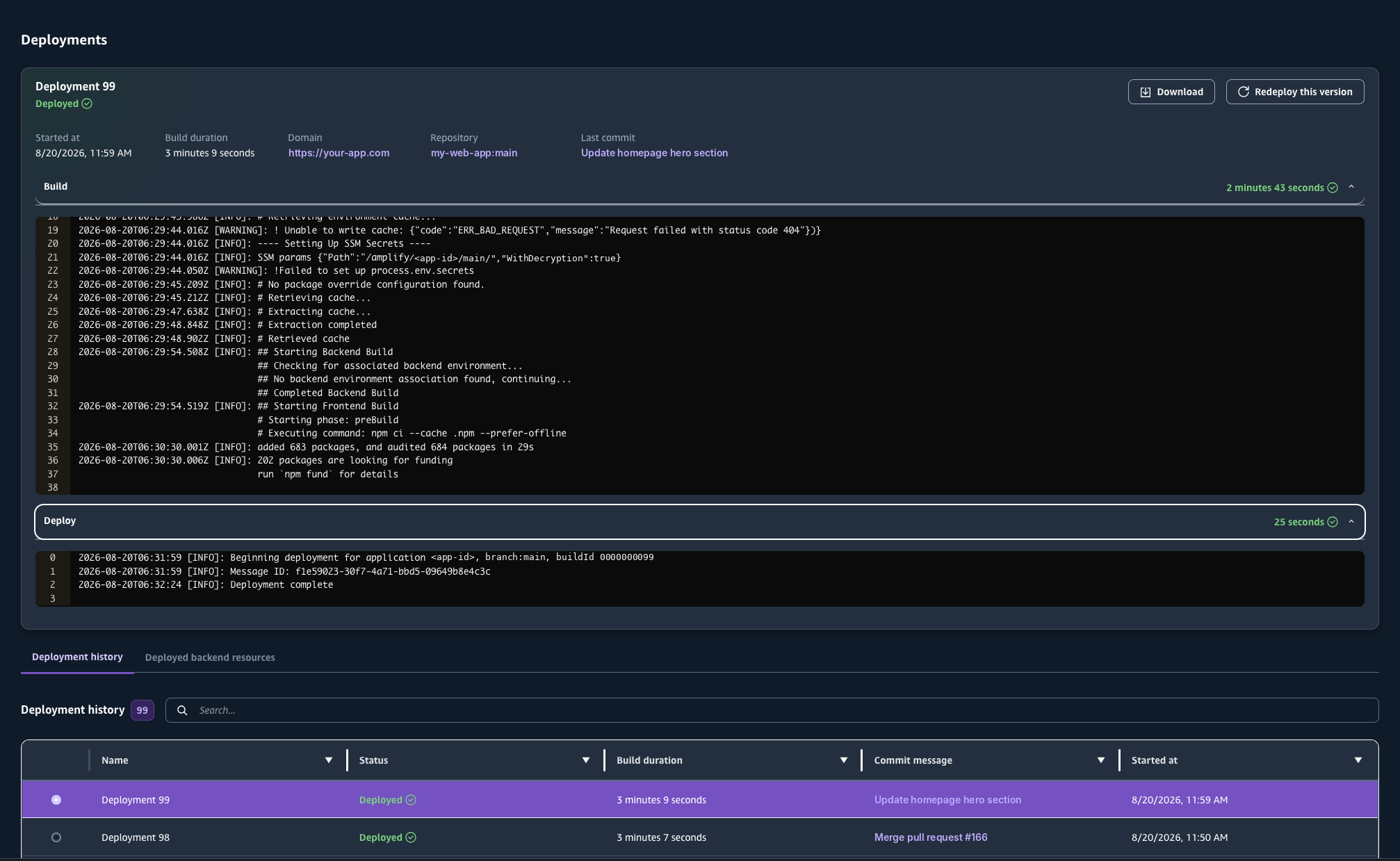
What a typical release looks like: built and live in just over three minutes, with every earlier release logged below.
What should you do next?
Planning a web app or SaaS product? See how we approach web application development and SaaS development, with automated releases built in from the start.
Not sure how your current app is released? Book a free consult and we'll walk through your setup with you. Book a free consult →